As a FM, PMO, PM, I can create a new project using templates
Users can create a new project using predefined templates.
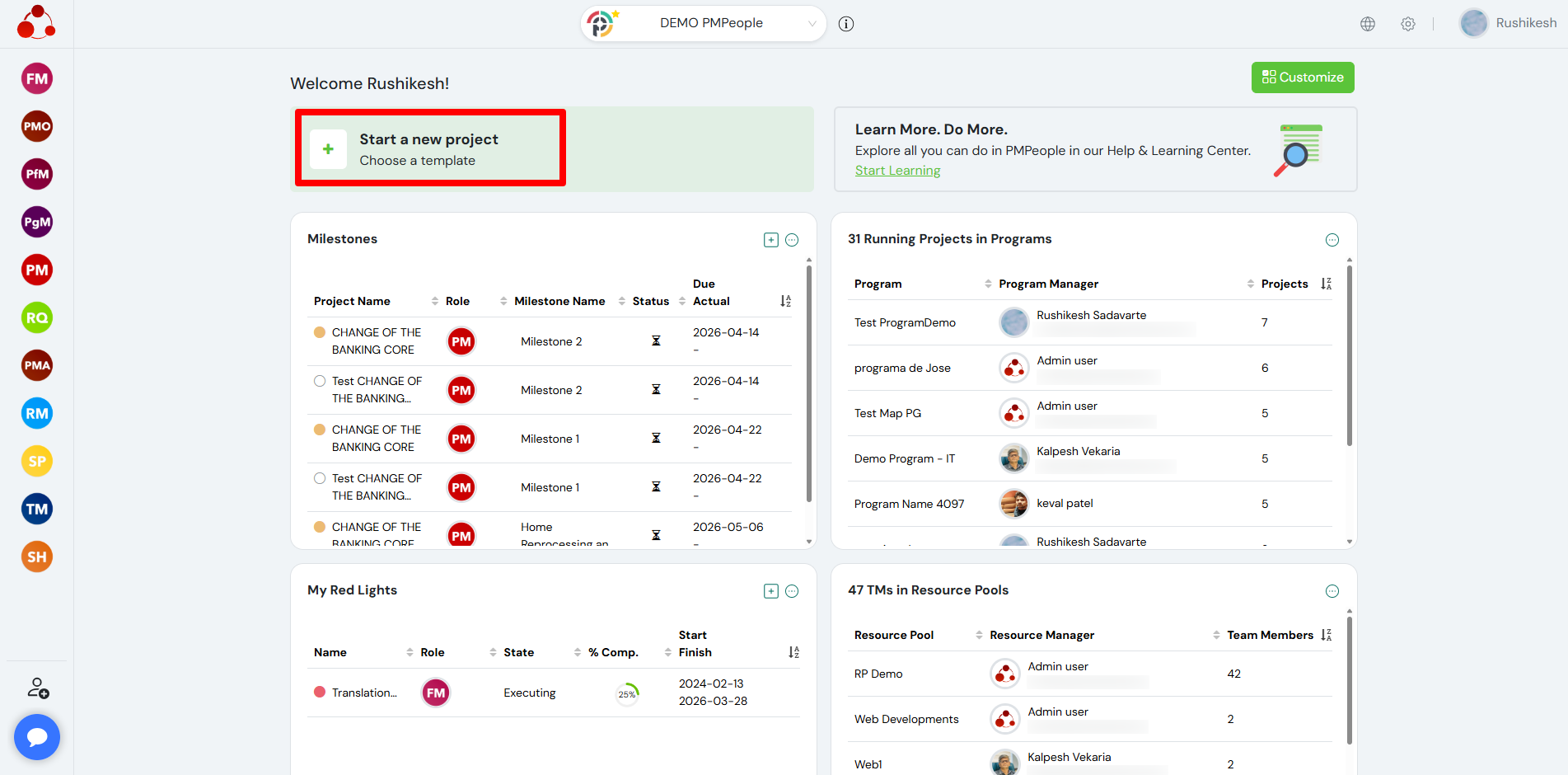
From the dashboard, click on Start a new project to begin. This opens the template selection screen where users can choose how they want to create the project.
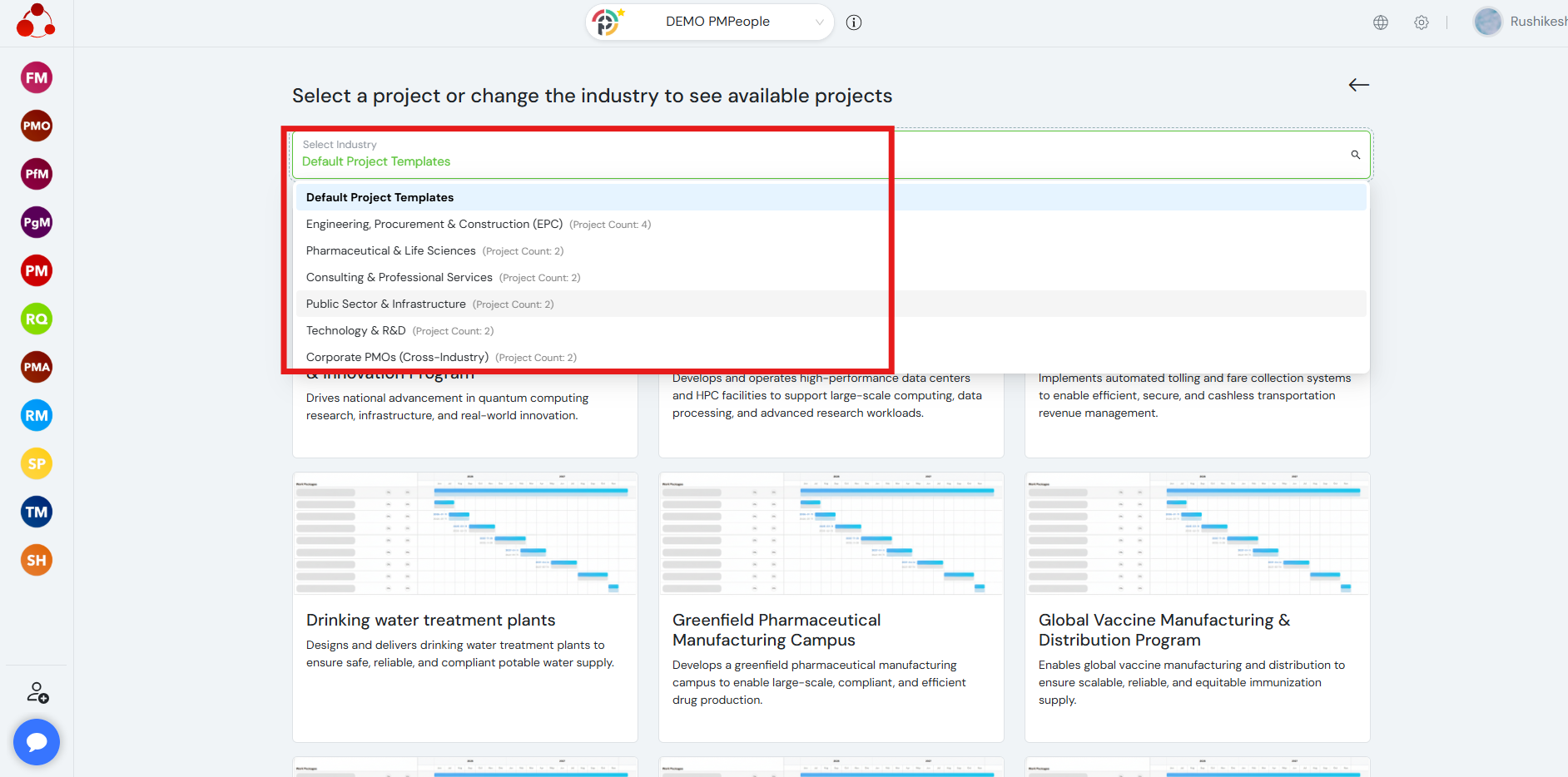
Users have the option to select an industry. Based on the selected industry, a list of available project templates is displayed.
Each template represents a predefined project structure with planning data, which helps users start quickly without creating everything from scratch.
After selecting a template, users must choose the role in which they want to create the project (Functional Manager, PM Office, or Project Manager).Users then select the business unit (BU) where the project will be created.
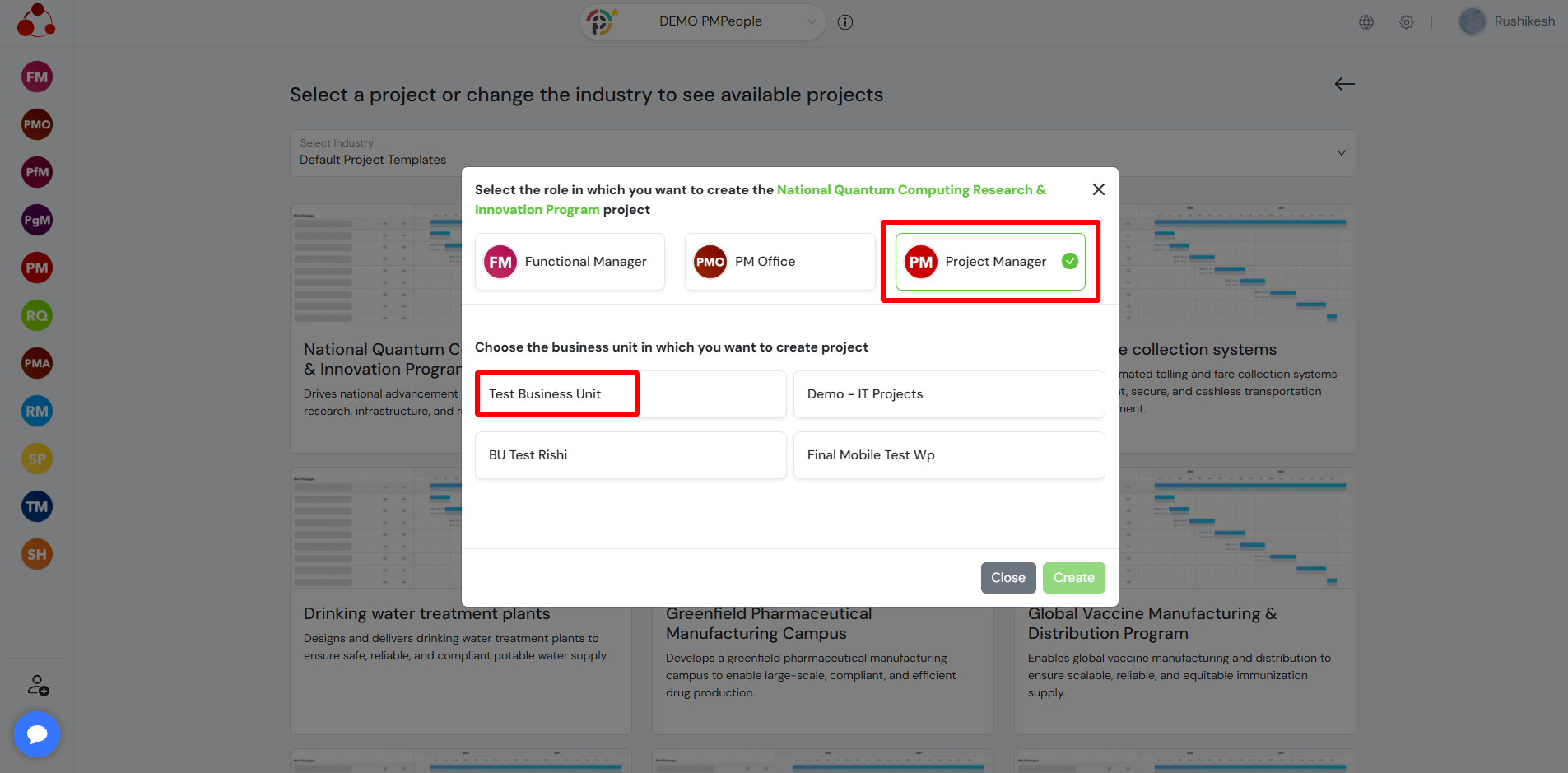
Once the role and business unit are selected, the project is created using the chosen template.
This allows project teams to standardize project creation and ensures consistency across projects.
Frequently Asked Questions
What is the benefit of using project templates?
Project templates provide predefined structures and planning data, allowing users to quickly create projects without starting from scratch and ensuring consistency.
Can I choose different roles while creating a project?
Yes, users can select a role such as Functional Manager, PM Office, or Project Manager while creating the project.
Why do I need to select an industry before choosing a template?
Selecting an industry filters and displays relevant project templates tailored to that specific domain, making the selection more accurate and efficient.